Best Chromecast Apps in 2026: What to Cast From Your Phone, PC and Google TV Streamer
Almost every major video and music app can cast to a Chromecast or Google TV Streamer, but the useful question is which apps cast well: free ones, ones that play your own files, ones that cast a whole screen when an app refuses to. This list covers the apps worth having on your phone or laptop for a Chromecast, Chromecast with Google TV, or the Google TV Streamer that replaced them in 2024, checked in August 2026. Dead apps from older versions of this list (Videostream, Wordcast, Google Play Movies) have been removed.
Two things first: every Chromecast needs the Google Home app for setup, and if your device is a Chromecast with Google TV or a Google TV Streamer it runs apps on its own, so you can install Netflix, Prime Video and the rest directly on the TV and only use your phone as a remote.
Set up first: Google Home
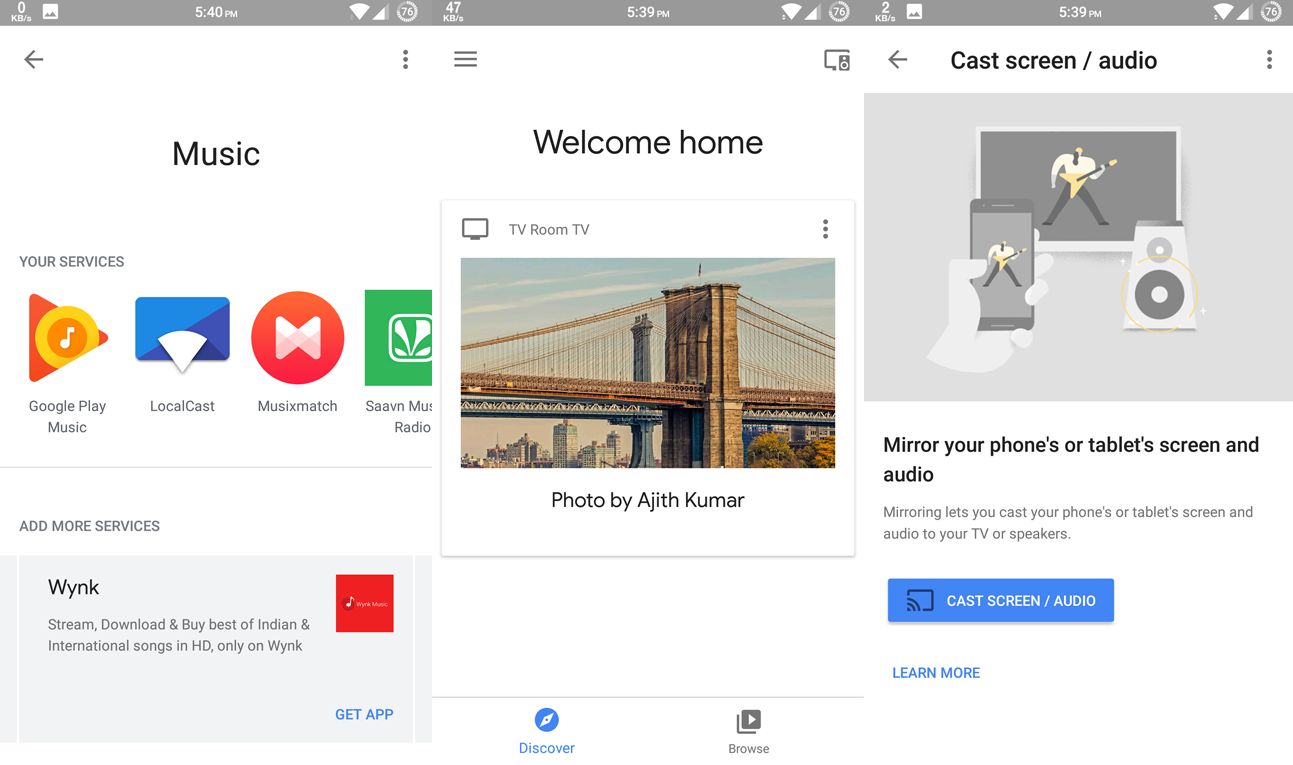
Google Home (iOS) sets up the Chromecast on your Wi-Fi, names it, and manages every Cast device in the house. It also casts your phone’s entire screen (Android only) from the device page, which is the fallback for any app that has no Cast button.
Best Chromecast apps for video and movies
Netflix
Cast from the phone app or the Chrome browser; the Chromecast picks up the stream itself, so your phone becomes a remote and you can lock it. 4K and HDR work on Chromecast Ultra, Chromecast with Google TV and the Google TV Streamer. Android
YouTube
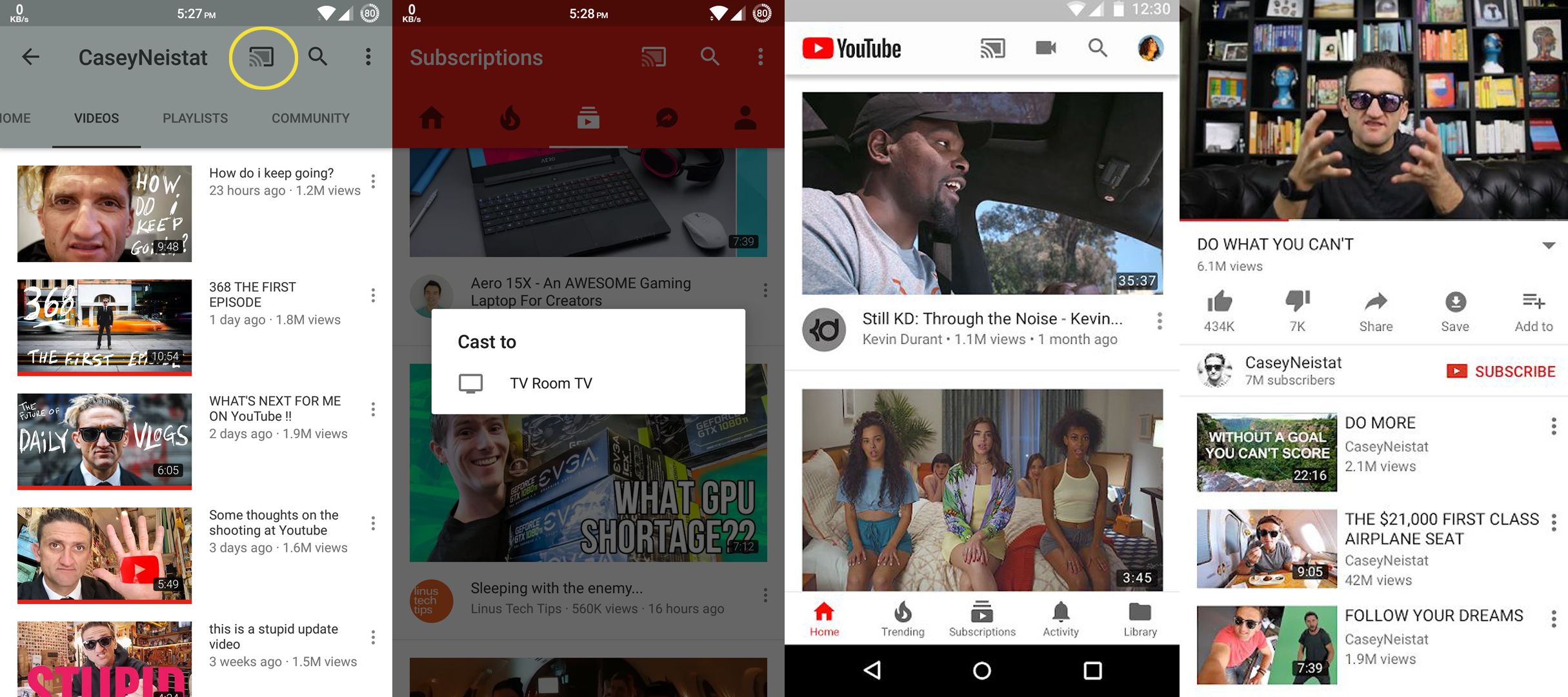
The Cast button is at the top of every video, and the queue feature lets several phones add videos to the same TV session. YouTube TV and YouTube Kids cast the same way. Android | iOS
Google TV
Google TV replaced Google Play Movies. It is where purchases and rentals live, it collects what you are watching across Netflix, Prime and the rest into one watchlist, and on the Google TV Streamer it is the home screen itself. Android
Amazon Prime Video
Prime Video added Cast support years after everyone else, and it now works from Android and iOS, including 4K on supported devices. Android
Disney+, JioHotstar, Hulu, Max and the other streaming apps
All the big services support Cast from their phone apps: Disney+, Hulu, Max, Paramount+, Peacock, Apple TV, Crunchyroll, and in India JioHotstar, SonyLIV and Zee5. Look for the Cast icon in the player. If one is missing it, use the screen mirroring fallback below.
Plex
Plex is the best way to cast your own movie and TV files. Run the free Plex Media Server on the computer or NAS that holds the files, and the Plex app on your phone casts anything in the library, transcoding on the fly if the Chromecast cannot play the format. Jellyfin is the open source alternative and also casts.
VLC
VLC for Android casts local files from your phone to the Chromecast, and the desktop VLC on Windows, Mac and Linux can render to a Chromecast from the Playback, Renderer menu. It handles formats the Chromecast cannot by transcoding, at the cost of some CPU. Android
LocalCast
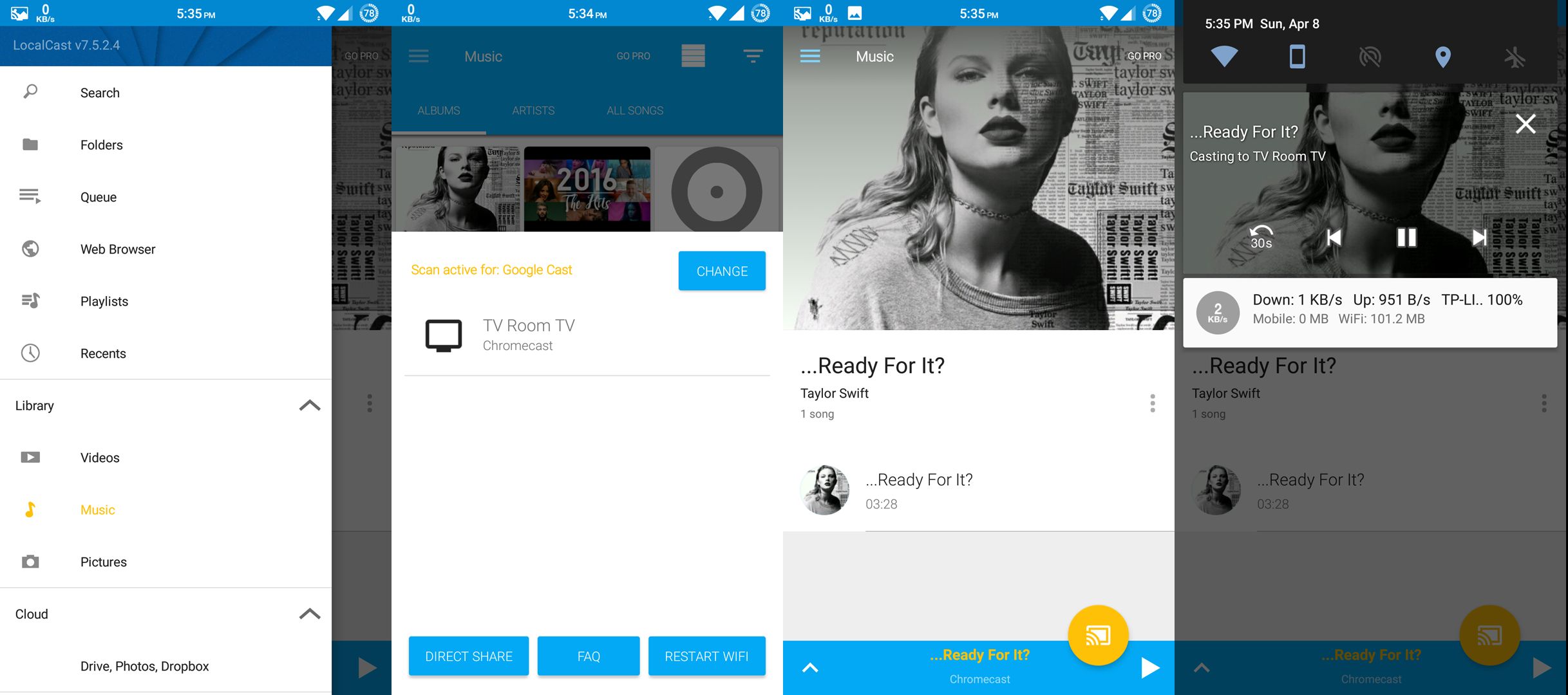
LocalCast (iOS) casts videos, music and photos from your phone, from network shares (SMB, DLNA), and from Google Drive and Dropbox, with subtitle support. It is the tool for “the file is on my phone, put it on the TV” when VLC will not do it. Free with ads.
Google Chrome
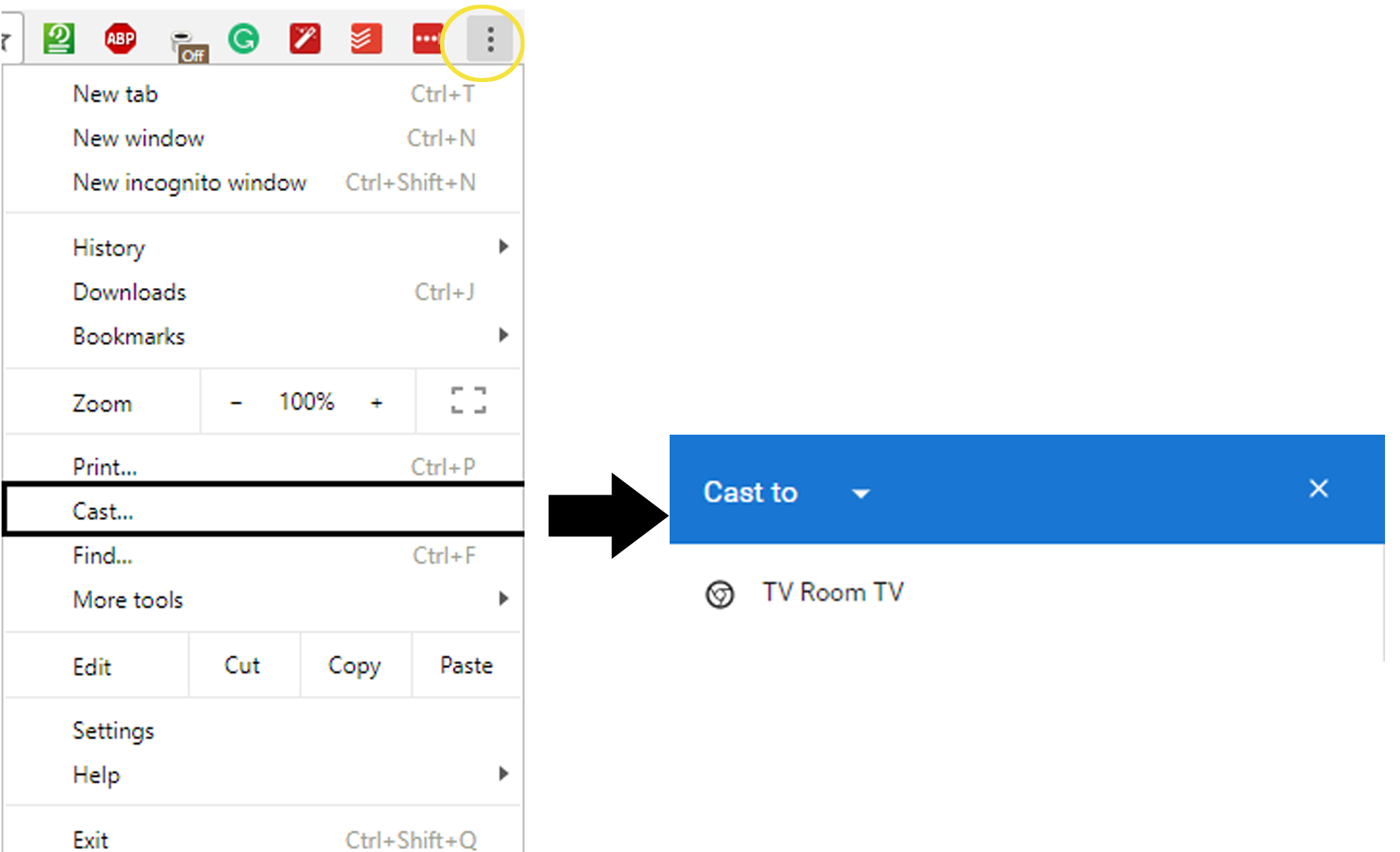
On a computer, Chrome’s three dot menu has Cast. You can cast a single tab (with audio), your whole desktop, or a local file by dragging it into a tab first. Tab casting is how you get a website’s video onto the TV when the site has no Cast button. Edge and Brave have the same feature.
Google Photos
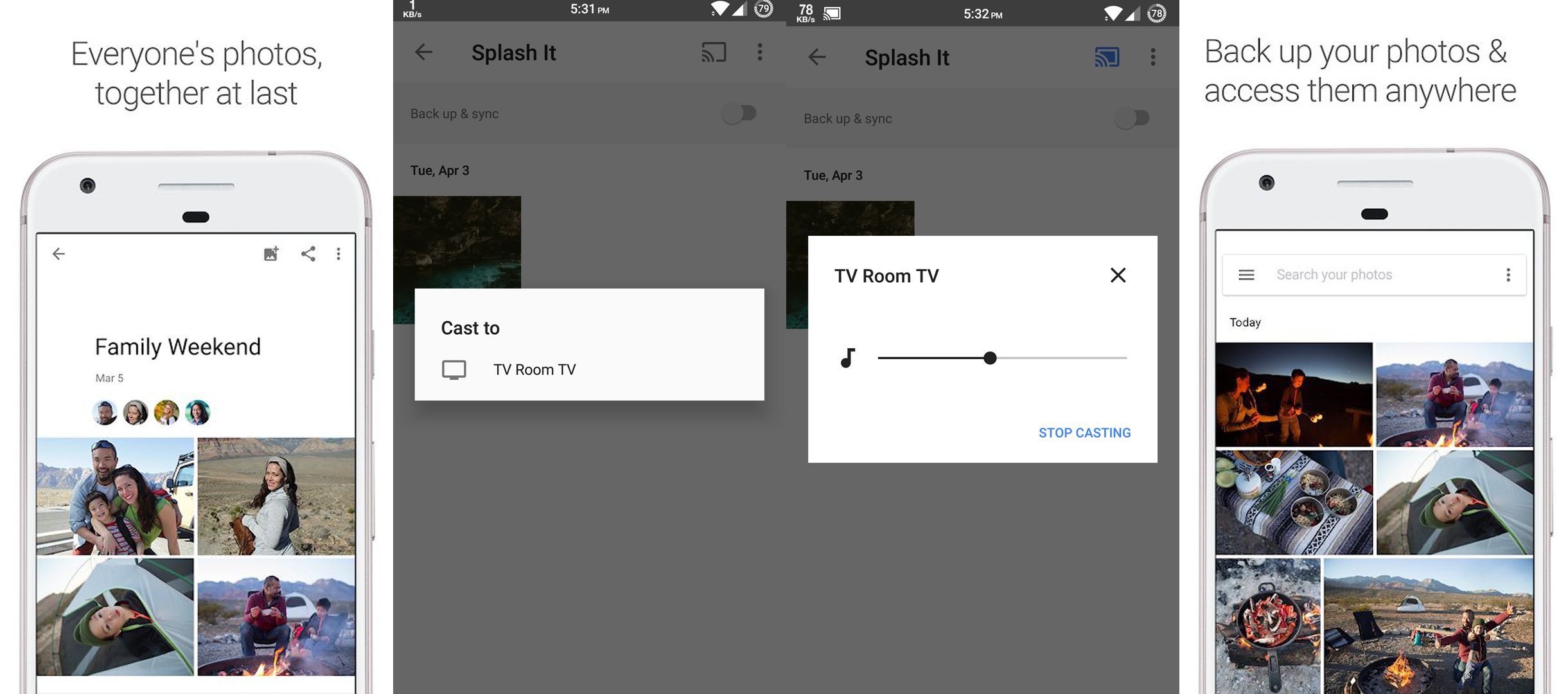
Open any photo or album and tap Cast to show it on the TV; swipe on your phone to go through the album. Videos in your library cast too. Android | iOS
Best Chromecast apps for music and podcasts
Spotify
Spotify Connect and Cast both work: tap the device icon in the Now Playing screen and pick the Chromecast. Playback continues if your phone leaves the house, because the Chromecast streams directly. Free tier included. Android | iOS
YouTube Music
Casts like YouTube, with the same queue. If you have YouTube Premium you already have it. Android | iOS
JioSaavn
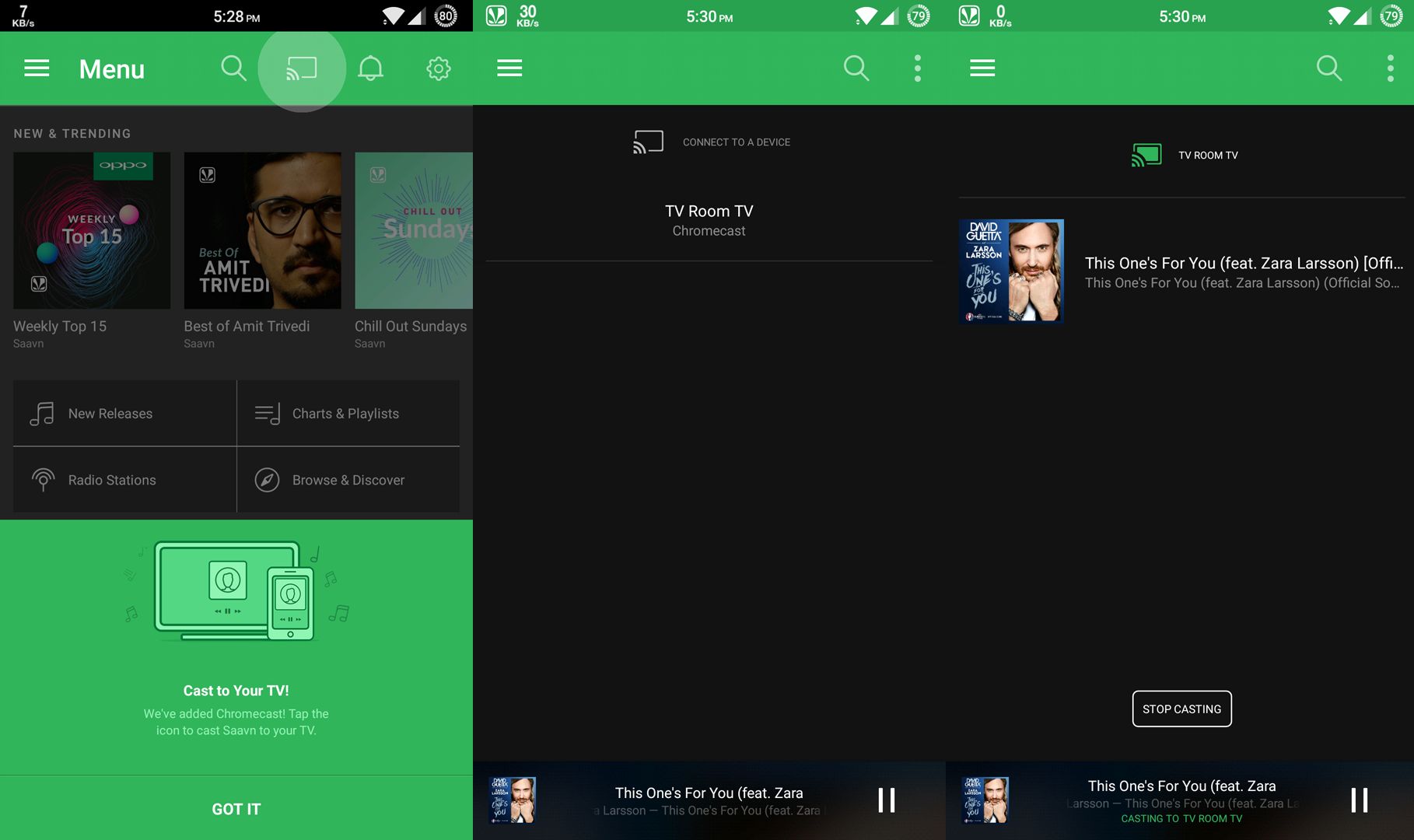
The largest Indian music catalogue with Cast support in the free tier. Android | iOS
Musixmatch
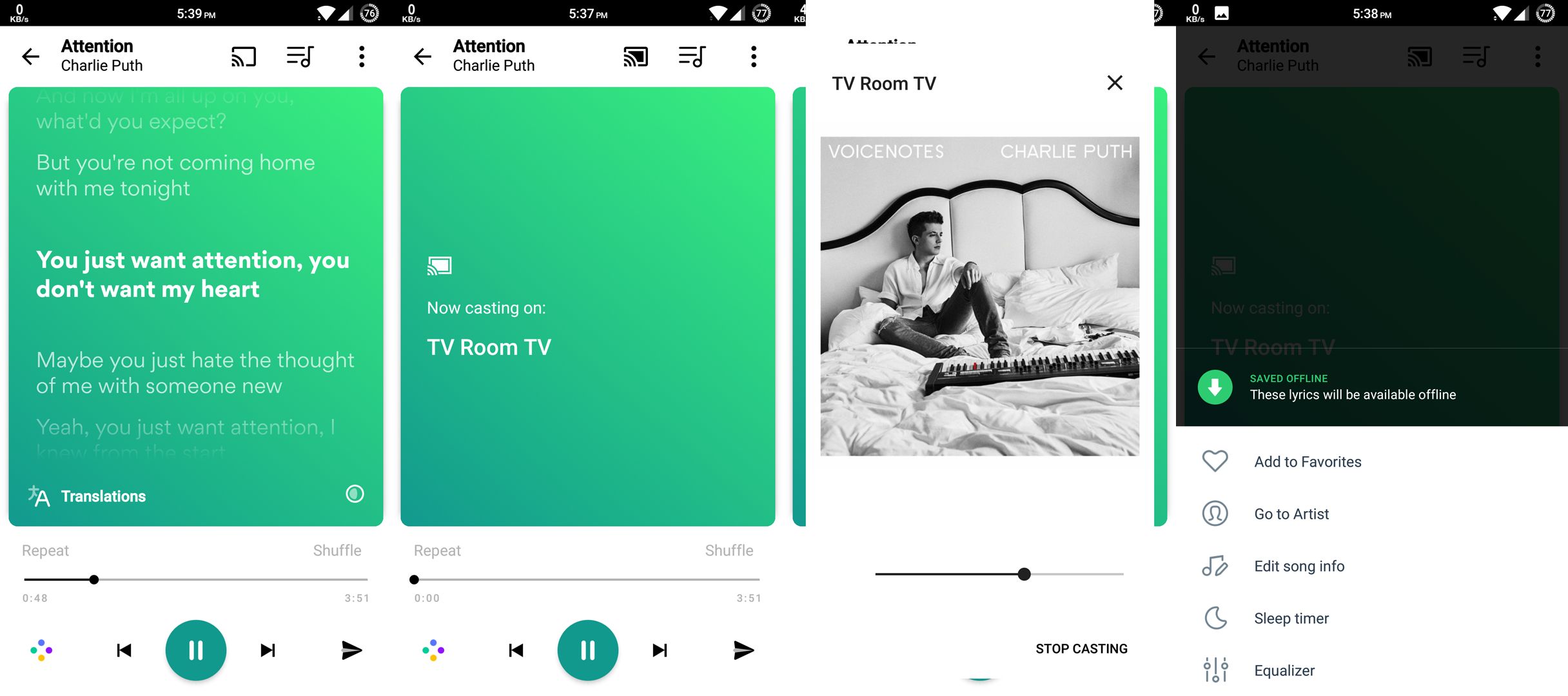
Casts synced lyrics to the TV for whatever is playing on Spotify or YouTube Music: a karaoke screen for free. Android | iOS
iHeartRadio and TuneIn
Live radio stations and podcasts with a Cast button. iHeart covers US stations; TuneIn has more international ones. iHeartRadio Android | iOS
Pocket Casts
The best podcast app on Android and iOS, and one of the few that casts podcasts properly with chapter support. Android | iOS
Local music: BubbleUPnP, Pulsar, MediaMonkey
For MP3 and FLAC files on your phone or a NAS, BubbleUPnP is the most capable (DLNA and Cast), Pulsar is the nicest simple player with Cast, and MediaMonkey syncs with the desktop app.
Other useful Chromecast apps
- Clock on Chromecast: turns the TV into a large wall clock with a wallpaper. Android
- Solid Explorer: a file manager that casts any video or picture from your phone or a network share. Android
- Twitch, Kick, TikTok: all cast live streams and videos from their apps.
- Ambient mode: not an app, but in Google Home you can set the Chromecast to show your Google Photos albums, art or weather when idle.
When an app has no Cast button
- Android: open Google Home, tap the Chromecast, then Cast my screen. Anything on the phone shows on the TV, with a second or so of delay.
- Computer: Chrome, three dot menu, Cast, then choose Cast tab or Cast screen.
- iPhone: iOS has no system Cast, so use the app’s own Cast button; screen mirroring to a Chromecast needs a third party app such as Replica, and it is laggy. If you have a Chromecast with Google TV or a Google TV Streamer, install the app on the TV instead.
FAQ
What app do I need for Chromecast?
Google Home, for setup and screen casting. After that, any app with a Cast button works on its own.
Do all apps work with Chromecast?
Most video and music apps do. Apps that do not have a Cast button can still be shown on the TV with screen casting from Android or Chrome.
Which apps are free on Chromecast?
YouTube, Google Photos, Spotify free, JioSaavn free, Pocket Casts, Plex, VLC, LocalCast, Chrome tab casting and the free tiers of Pluto TV, Tubi and JioHotstar.
Is Chromecast discontinued?
Google stopped selling Chromecast in 2024 and replaced it with the Google TV Streamer. Existing Chromecasts keep working and receive updates, and every app here supports both.
Can I cast from an iPhone to Chromecast?
Yes, from any app with a Cast button (Netflix, YouTube, Spotify and so on). Full screen mirroring is not built into iOS.
Found this useful?

Sumit
ContributorHi, I'm Sumit, Being an introvert I have always been obsessed with technology-computers and reading dozens of posts to learn, find answers out of my curiosity. I love to write as I explore more.