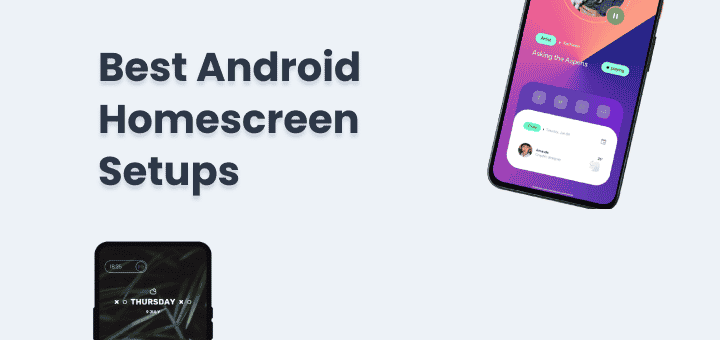
Android is known for its customizability you can customize almost every aspect of an Android like icons, wallpapers, navigation buttons, notification bar, app launchers you name it.
Android homescreen setups are set of customizations done to get a unique look and feel, that can be based on any theme like just black (AMOLED) setup, Outrun setup, Black and White setup or Minimalist setup if you can think of it you can make a homescreen that way.
These setups are created by an amazing community on Reddit and on other social media platforms, where the community has shared their custom Android homescreen setups with everyone, you can use them to get the same look and feel on your device.
Few apps you need to install based on the setup you choose from because setups sometimes have special functionality and unique layouts these can be launchers, widgets or navigation bar so don’t forget to check Android customization apps for the full list.
Android Home Screen Setups
Best android homescreen setups you will find here, you can use them for customization inspiration or use them to customize your Android home screen layout.
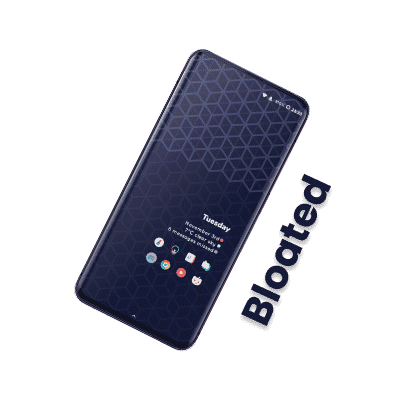
Bloated
Credit: u/Th3Pahntom
Icons: Bubblegum Glyphs Wallpaper “Blue Hexagon” KLWP Setup File
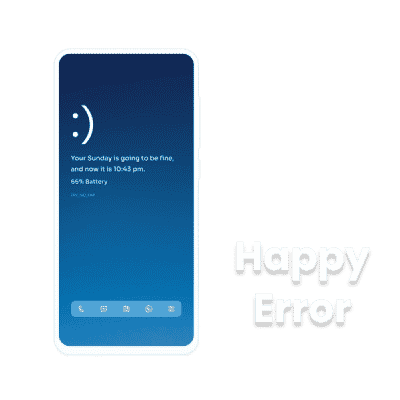
Happy Error
Credit: u/debu_G
Icons: Reev Lite Wallpaper “Happy Blue” KWGT – Top widget KWGT – Bottom Icon widget
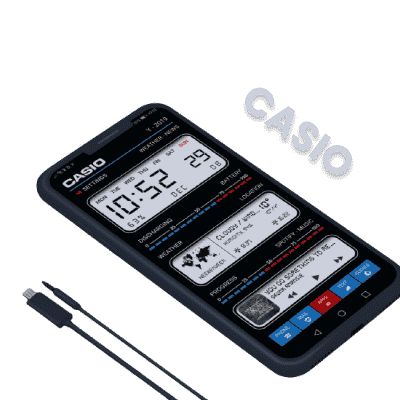
Casio
Credit: u/InspirationFailure
No Icons No Wallpaper KLWP Setup File
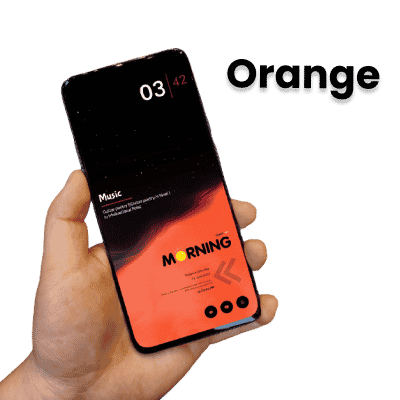
Orange
Credit: u/aftabooo
Wallpaper “Orange” Top Widget from minimo2 KWGT (Paid) Middle Widget from Instinct KWGT Bottom Widget from Moon KWGT
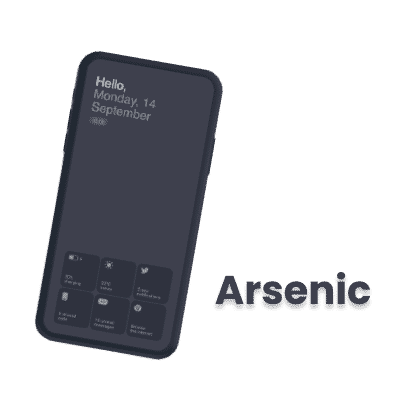
Arsenic
Credit: u/GT-8000
Few Material and Fontawesome Icons No Wallpaper KLWP Setup File
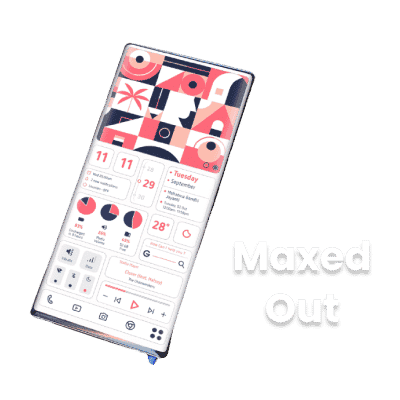
Maxed Out
Credit: u/proAK561
No Icons No Wallpaper KLWP Setup File
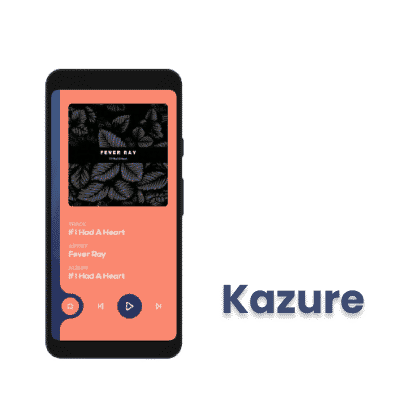
Kazure
Animations on this setup is eye catching
Credit: u/i_have_an_account
Icons: Linebit Light Wallpaper from Unsplash KLWP Setup File (Locked)
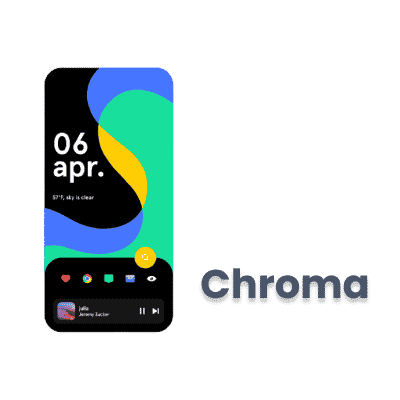
Chroma
Nova launcher is used in this setup. Use widget overlap option to place widget at right place
Credit: u/CrazyRexWaffle
Icons: Reev Lite Wallpaper “Chroma” Font “Apercu” KWGT Setup File
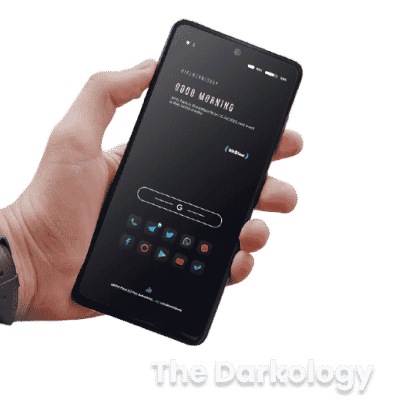
The Darkology
Credit: u/aftabooo
Icons: Nova Dark (Paid) No Wallpaper Top Widget from Flow KWGT Middle Widget from Saturn KWGT Search and Bottom Widget from Abstract KWGT
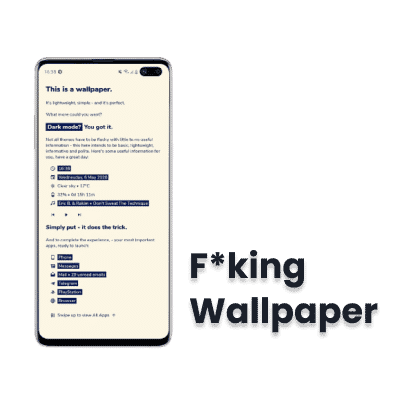
F*king Wallpaper
Whing wallpaper is named like that you will see when you check the original explicit version of setup.
Credit: u/digmotmag
No Icons No Wallpaper KLWP Setup File (Clean Version) KLWP Setup File (Explicit Version Preview) KLWP Setup File (Explicit Version)
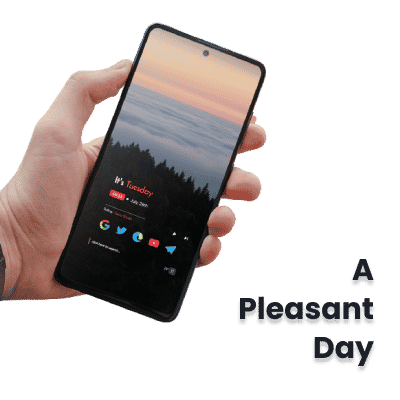
A Pleasant Day
Credit: u/Asad0__0
Icons: Vera Icon (Paid) Wallpaper from Unsplash KWGT Setup File
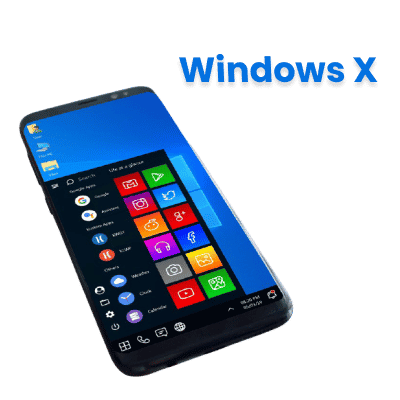
Windows X
Nova launcher is used on Phone which has aspect ratio of 18:9, Some icons will need someadjustment.
Credit: u/DrDisagree
Icons: Pix Pie Icon Pack Icons: Windows Icons Icons: Compact Icons Wallpaper “Windows X” KLWP Setup File
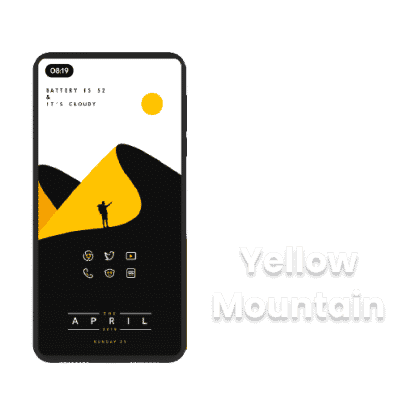
Yellow Mountain
If you prefer same setup in red, blue, green or orange you can make that happen just look for icon pack you like by same developer.
Credit: u/IamRed1999
Icons & Wallpaper: Limeline Iconpack (Paid) Widgets from Huk KWGT App
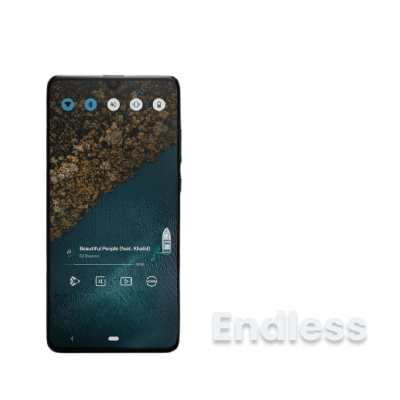
Endless
Nova launcher is used to made this awesome setup, with KWGT file novabackup also included.
Music widget is made from Foxie for KWGT.
Credit: u/ChiipmunkRaage
Icons : Linebit Light Iconpack (Paid) Wallpaper “Bird’s Eye” 4 KWGT Widgets file
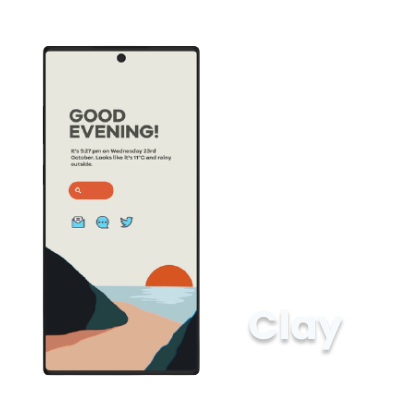
Clay
3 KWGT widgets with wallpaper in Google Drive,
Credit: u/CobaltPink
Icons : Crayon Iconpack (Paid) Wallpaper “Clay” 3 KWGT Widgets
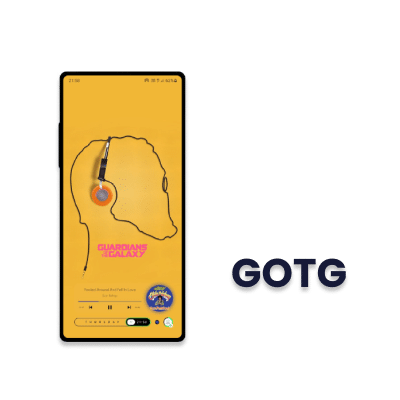
Guardians of the Galaxy
1 Custom made Music widget link below, Dot next to time is to change the auto wallpaper, so download the app if you want this functionality.
Credit: u/ayamsk99
Wallpaper “GOTG” KWGT Widgets Auto Wallpaper Changer App
Note: Some links over time may go broken when you see a broken link let me know I will update that for you.
Don’t forget to Enjoy these awesome setups👍
Don’t forget to share this post with friends.😃 after that check the Best Android Apps you should be using.
Share your favourite homescreen setups link the comment section below.
Found this useful?
Amit loves new tech and apps that make life easier, he writes about apps, games and useful websites on TheTechBasket.